

Website builders are a perfect solution for individuals and small businesses to start a website without hiring a developer. However, finding the best website builder can be tricky for beginners.
There are so many website builders on the market, how do you know which one is the right solution for you?
Before choosing website builders, I recommend that you write down what you want to do with your website? What are your goals and what features would you like to see on your website.

For example, you can write down things like: have a blog section, photo gallery, online store, reservation system, contact form, slider, etc.
If you are unsure about what you want, then check out your competitors or other websites for inspiration.
Most website builders offer a drag and drop user interface to build your website. You can take advantage of the trial accounts to test drive before you make your final decision.
Next, you need to consider your growth options. Will you be adding regular updates to your website? Do you need a blog section? Would you be selling more products on your website in the future?
You need to make sure that the website builder you choose is capable of handling your needs as your business grows.
Let’s take a look at the top website builder platforms to make your website without hiring a developer.
BEST WEBSITE BUILDERS IN 2020
1. WordPress
Naturally, It’s suggested to use WordPress.org when it comes to starting a blog set up for long term success.
Pros: WordPress can handle multiple authors, specialized content types, and pretty much anything a user would expect from a CMS. WordPress is legendary for being easy to learn and use. It's also got a sweet user interface. If your needs are straightforward, WordPress could easily be the best choice.

Cons: If you're planning to customize your site heavily, Drupal is probably a better choice. WordPress developers may disagree with me, and with over 15,000 WordPress plugins, they could be right. But the core WordPress program needs to be updated fairly frequently. These core updates can often break your existing plugins, and thus your site. In Drupal, on the other hand, it's a major priority that core updates shouldn't break anything. Drupal is designed to be extended with tons of modules.
2. Drupal
Pros: Drupal can do almost anything. Seriously. Drupal was designed to get new features using tons of little modules. Many of these modules are maintained by professional developers for large clients, but you still get them for free.

If you've developed websites on other systems, Drupal (and drush, an administrator program for Drupal) will just feel right.
Cons: If you're not a developer, Drupal has a reputation for being difficult. However, the recent release of Drupal 7 brings huge improvements that make it much easier for normal users. Still, it's not quite as easy as WordPress.
Paradoxically, the power of Drupal modules means that the basic, "out of the box" core Drupal isn't terribly exciting. If you try the above demos, especially the older Drupal 6, you may wonder what the fuss is about. Well, the fun starts when you begin to add modules.
If you know you want a complex site, go with Drupal, even if it means hiring a developer.
3. Joomla
Pros: Joomla's admin interface is powerful but also user-friendly. Out of the box, I think it has the best interface of the three for managing large amounts of articles.Are you certain that your site will basically be a lot of articles, and you don't want to have to add any features? Joomla could work for you. If you do decide you need some more features, start with the powerful K2 component.

Cons: The disadvantage of Joomla is that it's in the middle of the spectrum. WordPress is at the "user-friendly / looks pretty/basic tasks are easy" end. Drupal is at the "incredibly customizable / developers love it / slight learning curve for mere mortals" end.
4. Wix
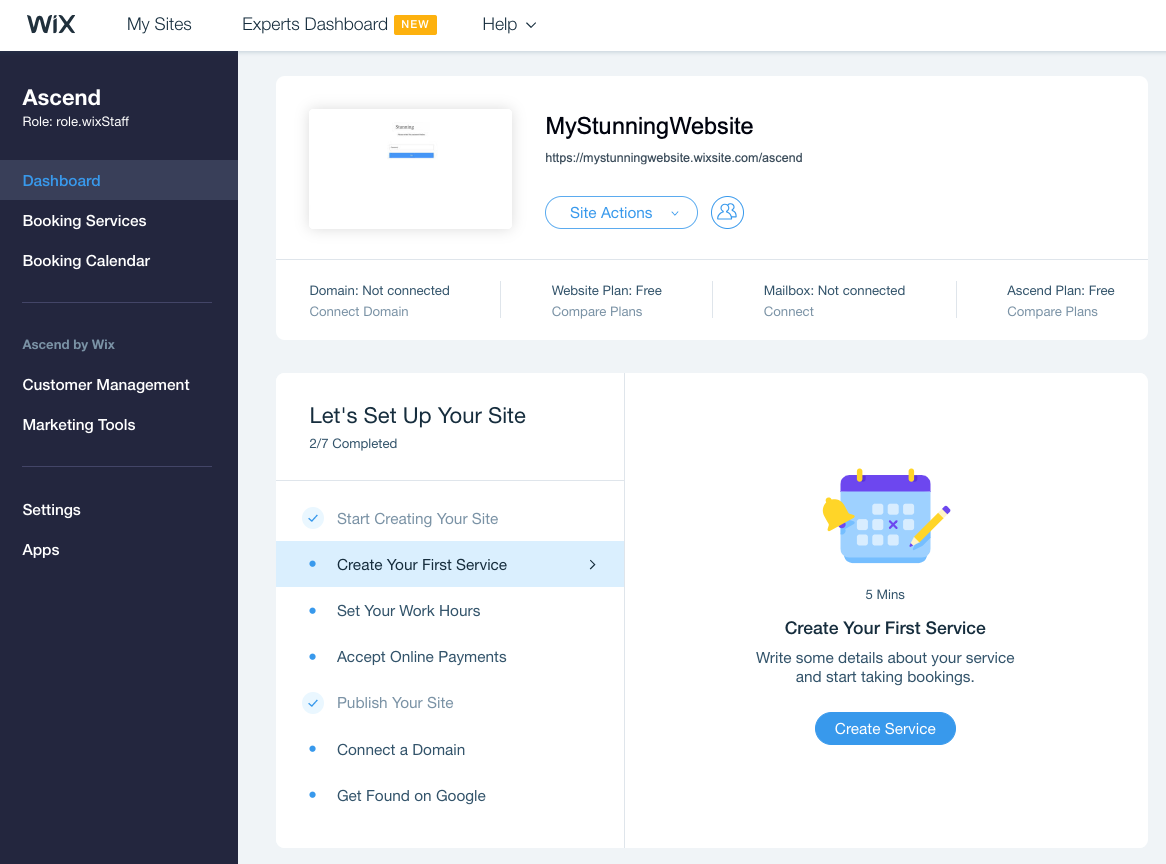
My personal experience with Wix has been pretty good, they have very few downtimes, they’re reliable and since the release of Wix Turbo, they’re faster than ever.
Wix is a good platform for beginners who want to get started without spending much. It provides you everything that you need to start and run your small business but with LIMITATIONS.
The Good’s:
- Wix is cheap - You can get your website running at a very low monthly fee.
- No need to pay separate hosting bills - Hosting is included with Wix package so you don’t need to go for any other hosting plans and spend money there.
- You can create your own website - You can create your own website without any coding knowledge.
- Maintenance free - You don’t need to spend extra for maintenance, it runs maintenance free.
The Bad’s:
- Wix is closed code so you cannot extend or customize your site- Wix is a closed code which means any modification or customization of functionality or design is not possible at Wix. It is like a marketplace of building websites where everyone get access to the same features, templates, logo maker, and functionalities but can’t change them.
- Overall cost is high - Even if you manage to build the website yourself using their wizard. Still you have to spend your time or money on high-quality website content. Also, you need to spend on banners and custom logo. Though you get logo maker but that won’t be unique and especially designed for your business like custom logo. So, ultimately the cost increases.
- You cannot move your site to other platform - If you want to move your website to any other platform such as WordPress, Magento, that won’t be possible with Wix. You need to build your website from snatch in such case. Also, if the rebuilding of your website is not done properly while maintaining the existing links and on-page SEO contents then it will adversely affect your website’s SEO ranking. So, the cost of making a new website will be more than the rebuilding of your existing website.
- Time taking work - Creating your own website using the wix wizard is very time-taking. Because you need to spend a lot of time to make your site look professional and unique as everyone has access to the same themes so there is high possibility that your site looks similar to others. And in this highly-competitive online market, it is very important to properly utilize your time in marketing and promotion instead of spending time on designing.
- Limited features and themes - There are limited features available in wix. Also they have limited templates and themes.
- Don’t offer backup solution - Wix don’t take backup of your data for future restoration.
- No chat support - The most important thing of a service is support and Wix doesn’t offer any instant support like Chat or Contact number (especially for Indian clients). So, contact them and getting quick help is not possible. You need to mail them and wait for their reply for any support.
CONCLUSION
Overall, wix is good for beginners only who are new to online and just want online presence. But if you are looking for a complete solution which is cost-effective and good for future prospective then get a custom designed website built on open-source script such as WordPress.